I turned Spotify's progress bar into an arcade and now the dinosaur jumps on the beat
A Spicetify theme that turns Spotify's progress bar into beat-synced minigames, and what building it taught me about timing.
It started as a procrastination thing. I was scrolling through Spicetify themes (it’s a tool that lets you restyle the Spotify desktop app) and decided mine should look like Jarvis from Iron Man. The Jarvis version looked like a screensaver from 2009, so I killed it and went the other way: a plain terminal. Monospace everything, green borders, and all the album art turned into green halftone like an old monitor.
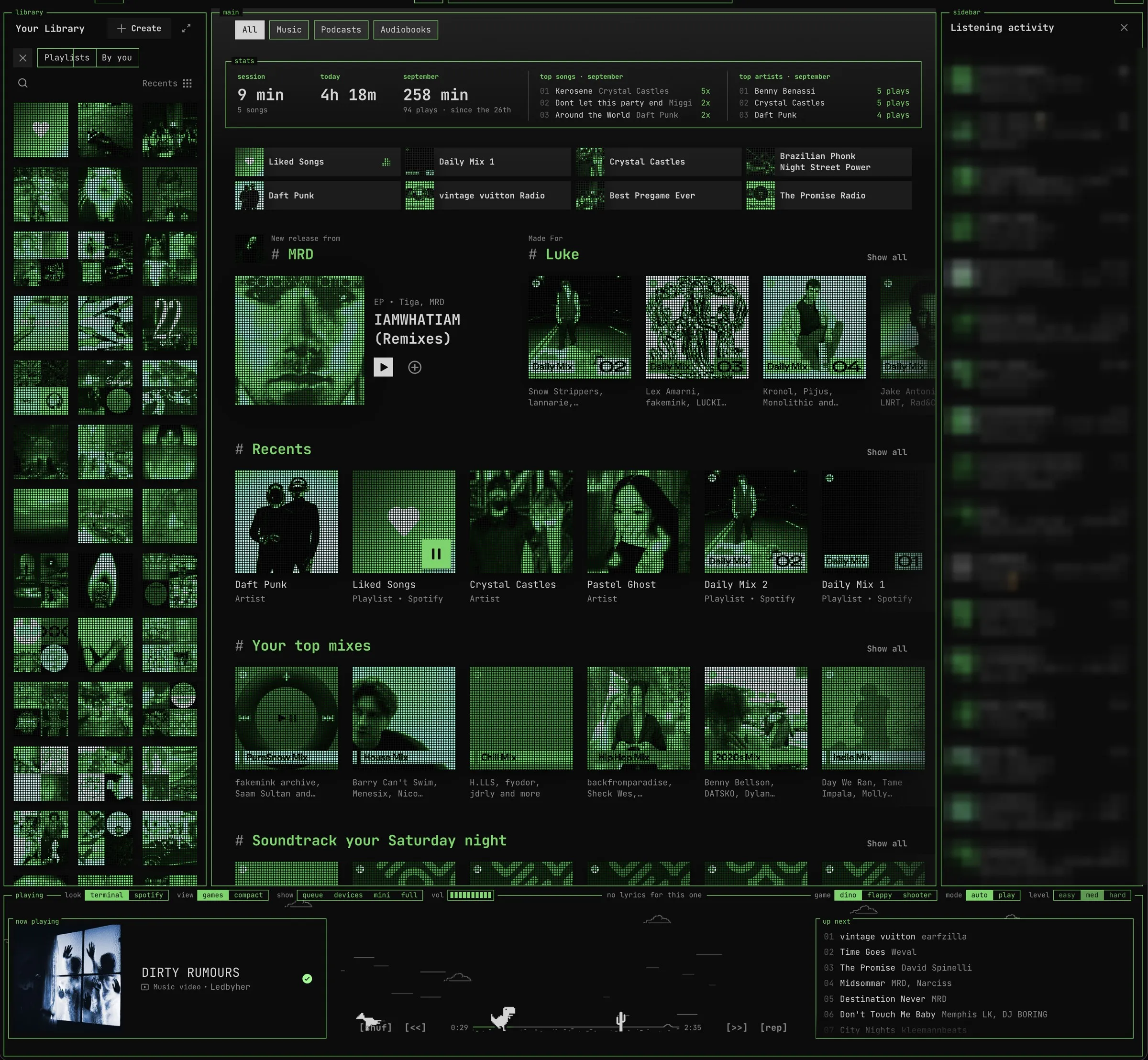
Then I looked at the progress bar. It’s the thing I stare at most in the whole app and it does exactly one job. So I put the Chrome no-wifi dinosaur on it.
At first he just jogged along the playhead. Then he needed cacti, real ones, pulled straight from Chrome’s source code so the jumps feel right. Then I wanted to play it myself, so there’s a play mode where hitting a cactus pauses your song, which is a genuinely rude thing for software to do and I love it. Then came flappy bird and a little space shooter, because once you put one game in a music player you’re apparently obligated to have three.
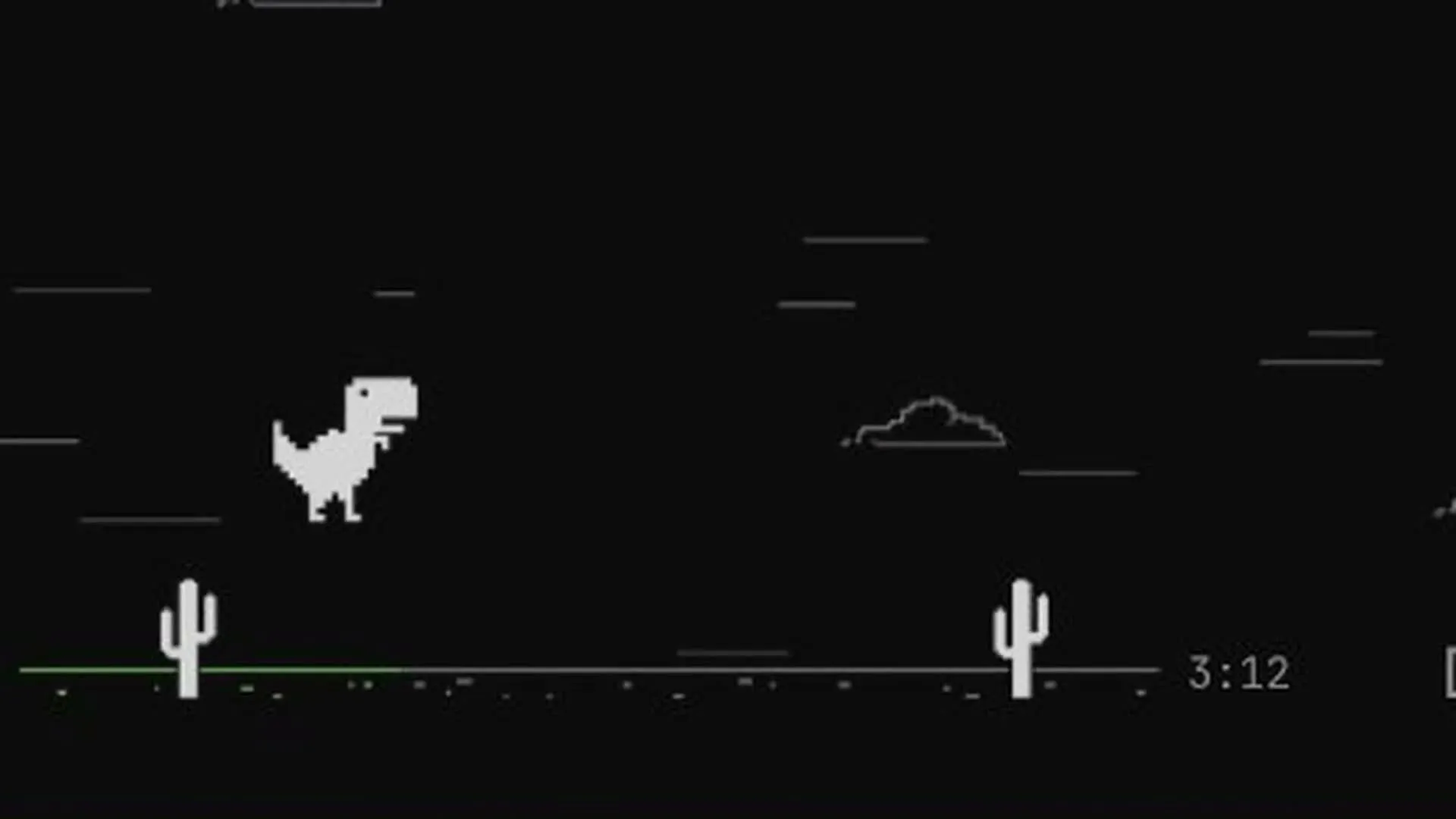
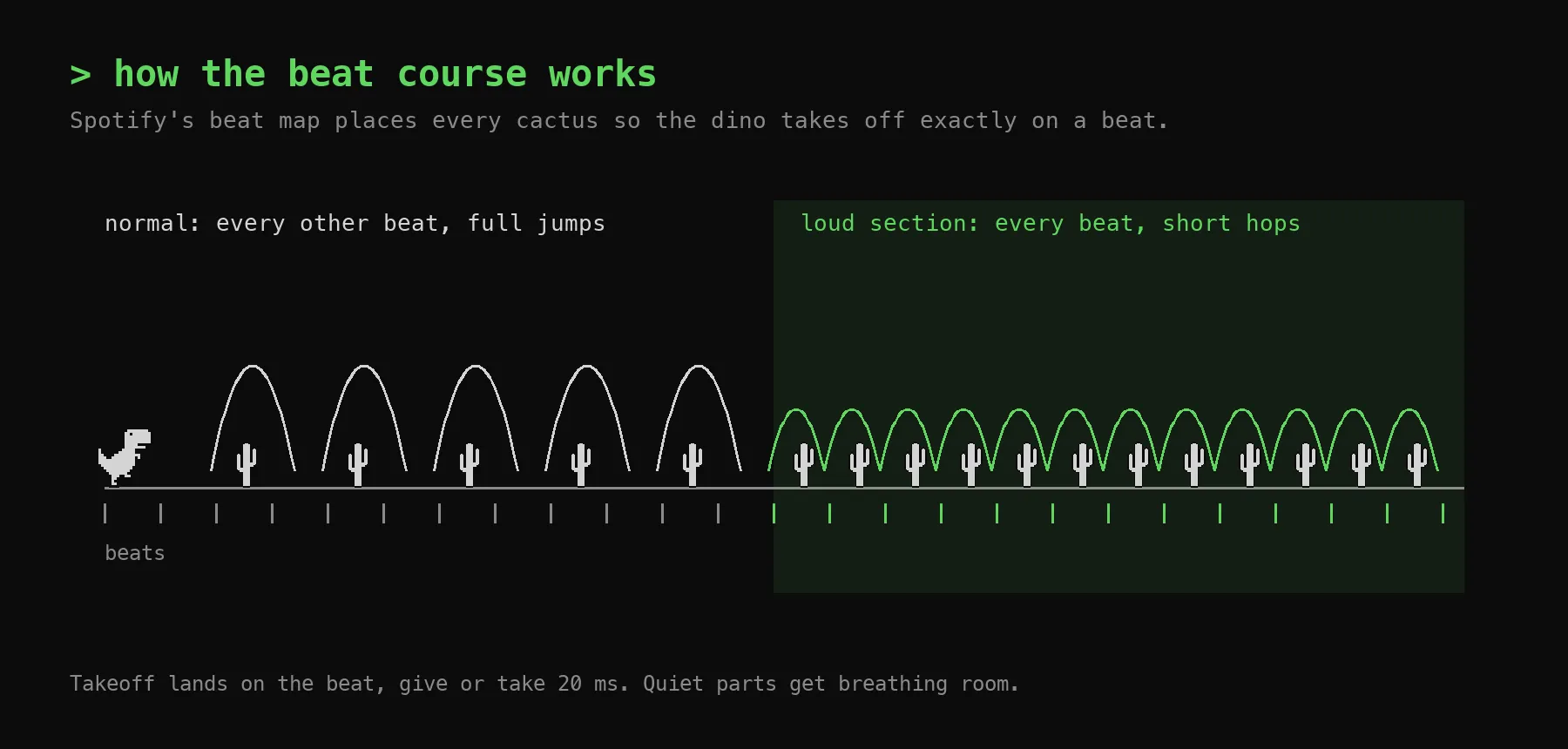
The fun part is the music. Spotify’s public API mostly told me to go away, but the desktop app still quietly downloads a full beat map for every song you play… tempo, every beat, every bar, where the loud parts are. So I turned it into a rhythm game. Every cactus is placed so the dino takes off exactly on a beat, which makes it feel less like Chrome and more like Geometry Dash. When a song gets loud he hops on every beat.
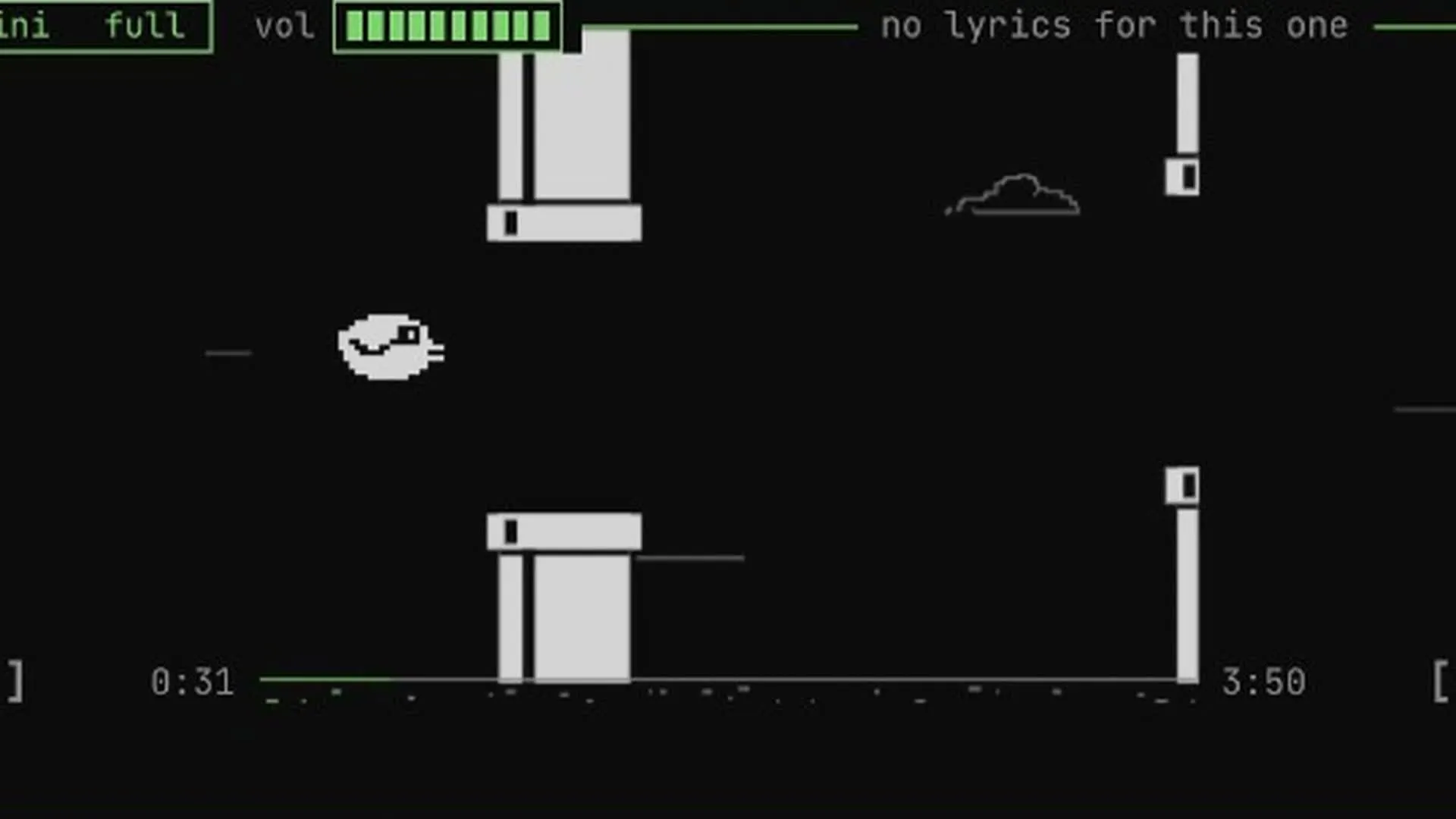
Flappy’s gravity is set from the tempo, so one flap per beat keeps the bird level and you end up flapping in time without anyone telling you to. The shooter’s gun fires on the beat and the aliens march to it, Space Invaders style.
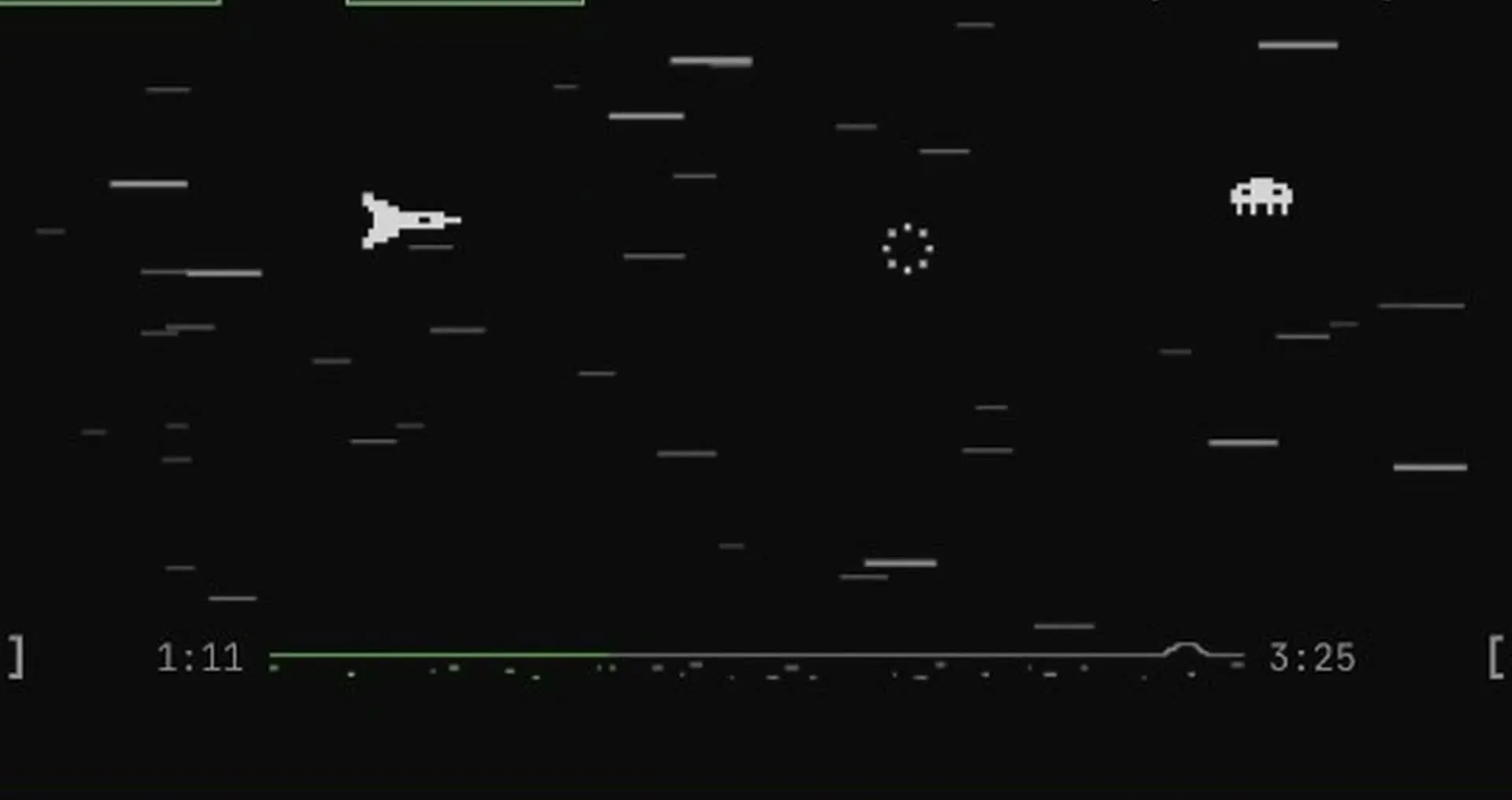
I also added the stuff I actually wanted day to day: lyrics running one line at a time along the top border, the queue on the right, and a little stats panel on Home. Spotify wouldn’t hand over my listening minutes, so the theme just counts them itself.
What I didn’t expect was how much of this would come down to timing.
The first version of the beat sync was off by 100 to 385 milliseconds. That doesn’t sound like much until you watch a dinosaur jump a beat late for three straight minutes. The cacti were moving on screen time and the music was running on its own clock, and every little stutter let them drift apart. Pinning everything to the song’s clock got it down to about 2 to 19 milliseconds.
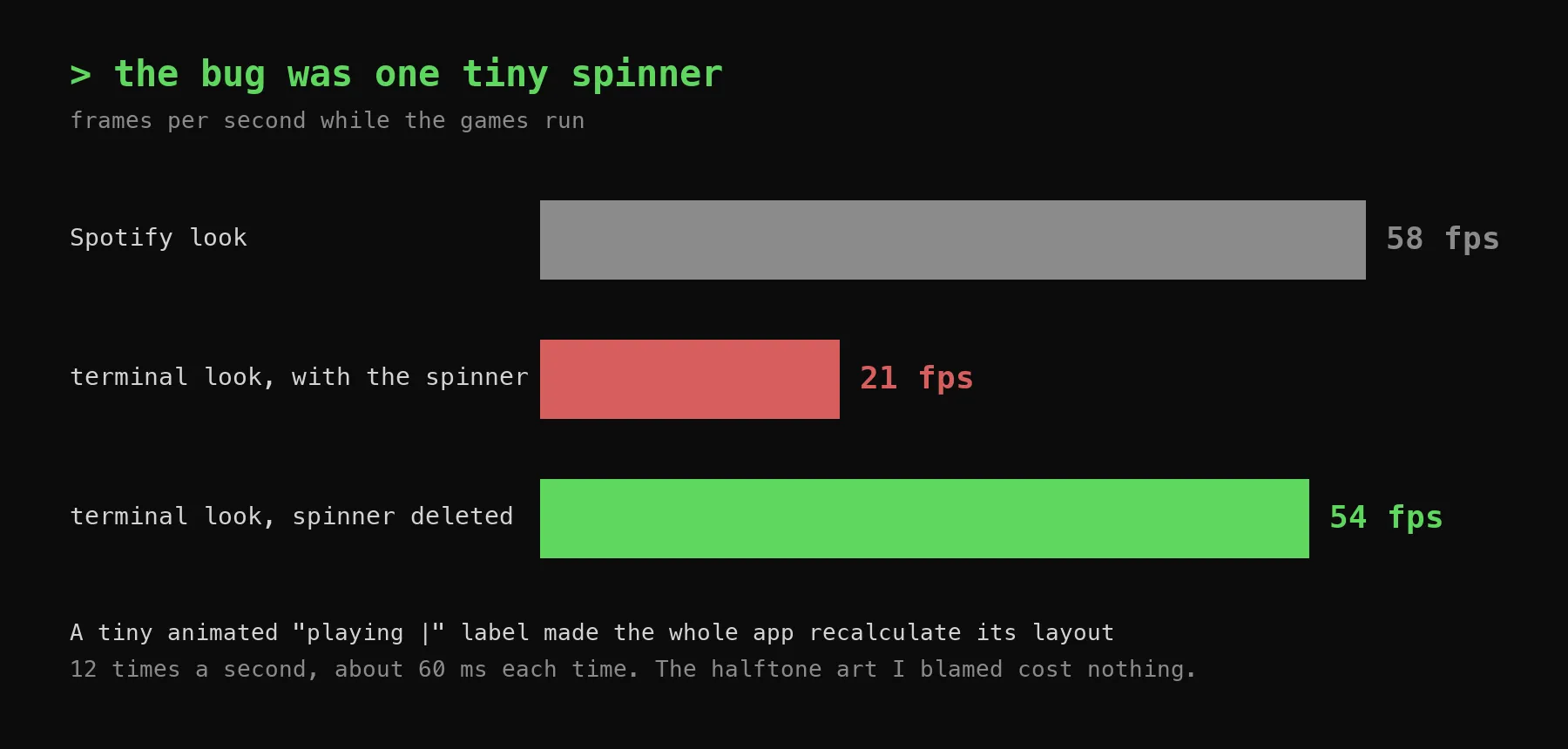
Then the terminal look started lagging. I was sure it was the halftone effect on hundreds of album covers. It wasn’t. It was a tiny animated “playing |” label in the corner. Every tick of that spinner made the entire app recalculate its layout, about 60 milliseconds at a time, twelve times a second. Terminal mode ran at 21 frames a second while Spotify’s normal look ran at 58. I deleted the spinner and it went to 54. The most expensive thing in the app was also the cutest thing in the app.
My favorite mistake: I tried making flappy’s autopilot flap only on the beat, to be cute about it. It crashed into 13 pipes in 40 seconds. The dumb version (flap when you’re sinking) with gravity tuned to the tempo hit zero, and it still flaps roughly on the beat anyway.
Somewhere in there I made myself a rule: when something breaks, try removing a feature before adding a fix. A typing game got cut for being boring. A flashing beat effect got cut for looking weird. A whole city skyline drawn from the song’s waveform got cut for being pointless. The thing got better every time something left.
It even works in Spotify’s normal look if the terminal thing isn’t your vibe. Same layout, same games.
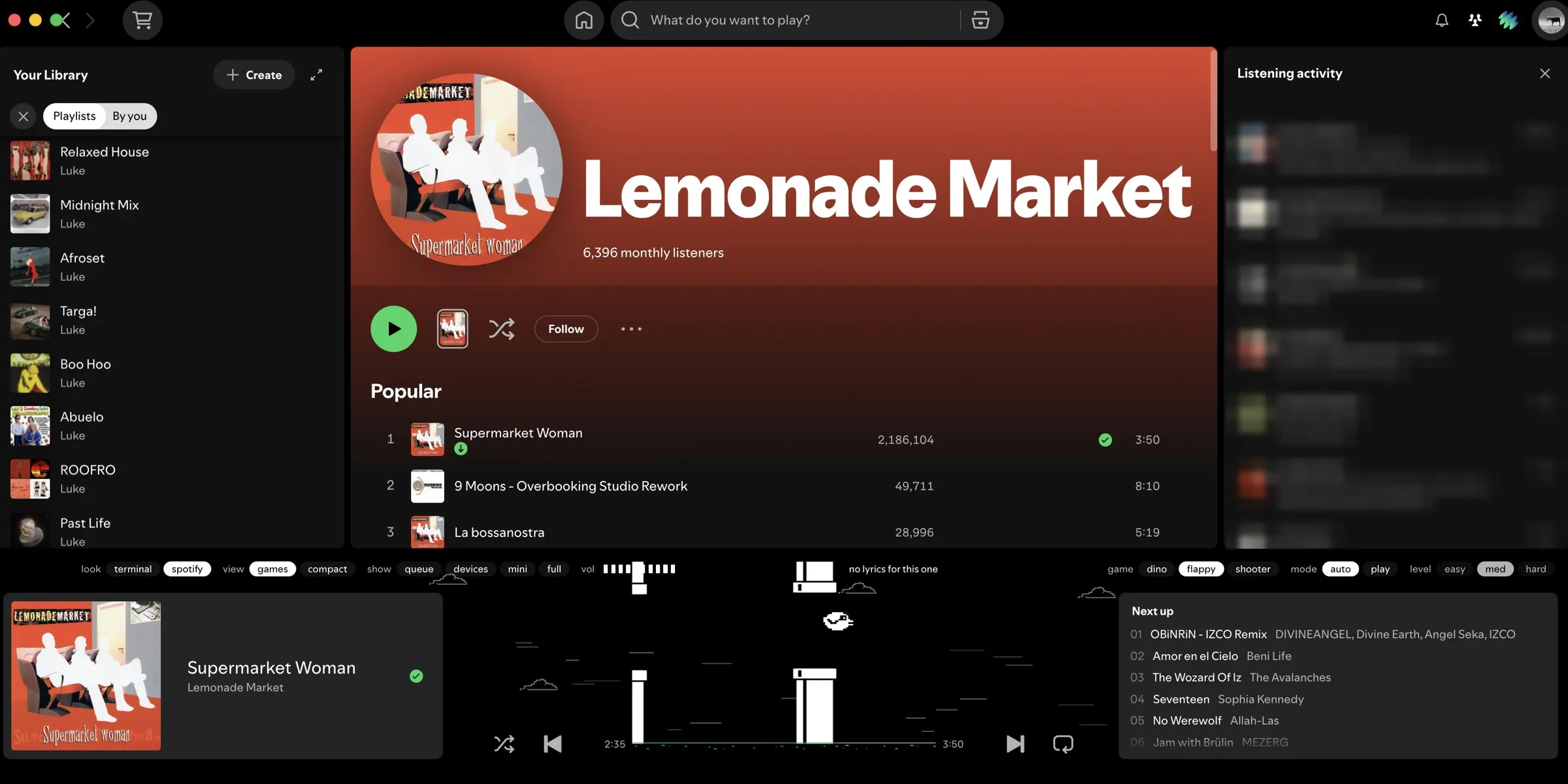
Then one morning Spotify updated itself and wiped the whole thing. Spicetify shipped support for the new version four days later and it came back in two commands. That’s the deal with modding someone else’s app: it’s yours until their next update.
It’s public now if you want it: github.com/luketavarodriguez/spotify-minigame-ui.
My progress bar used to tell me how much of the song was left. Now it tells me whether the dinosaur made it.